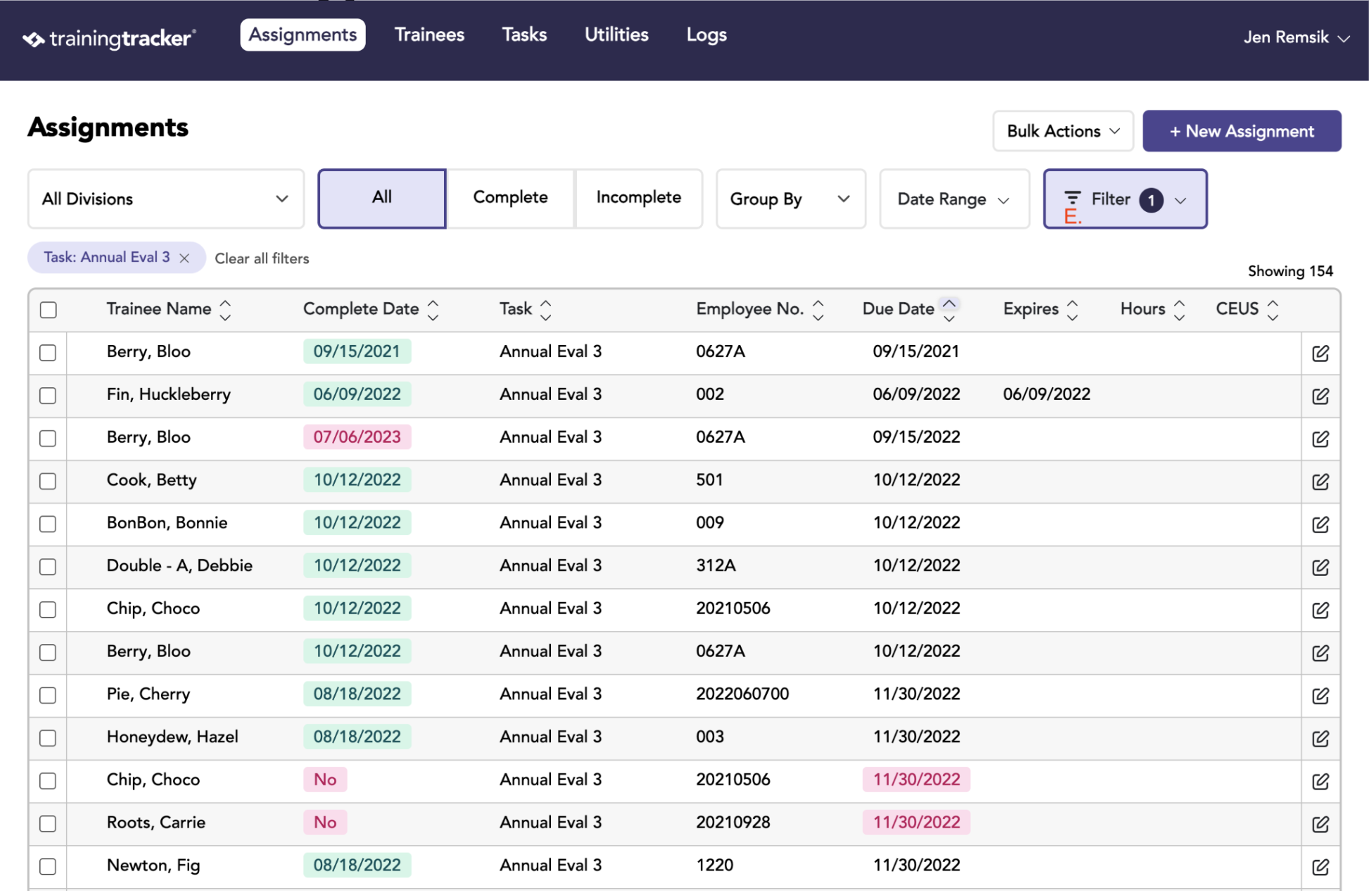
Common reports include upcoming due dates, recently completed training, expiring certifications, and assignment history for specific trainees or tasks.
To generate reports, start on the Assignment tab
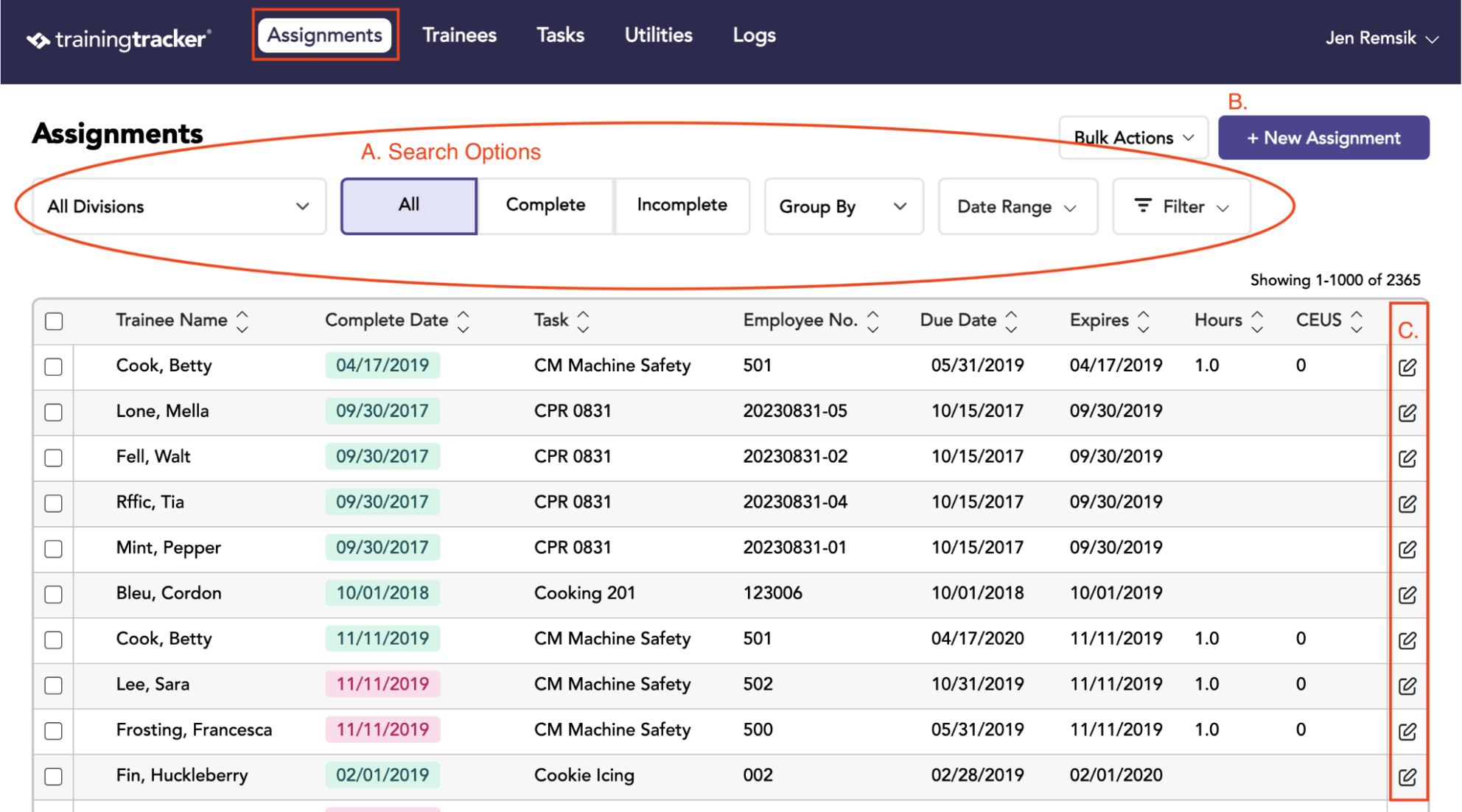
On the Assignments tab, you can view who has been assigned what task and the Due Date, Completed Date, and Expiration Date. Reports are also generated from this tab.
Here is a list of the different controls and displays:
A. Search Options – If no criteria selected, displays all training assignments
B. Create Assignments Button – Add a new Assignment
C. Edit Assignments Button - Make changes to an existing Assignment
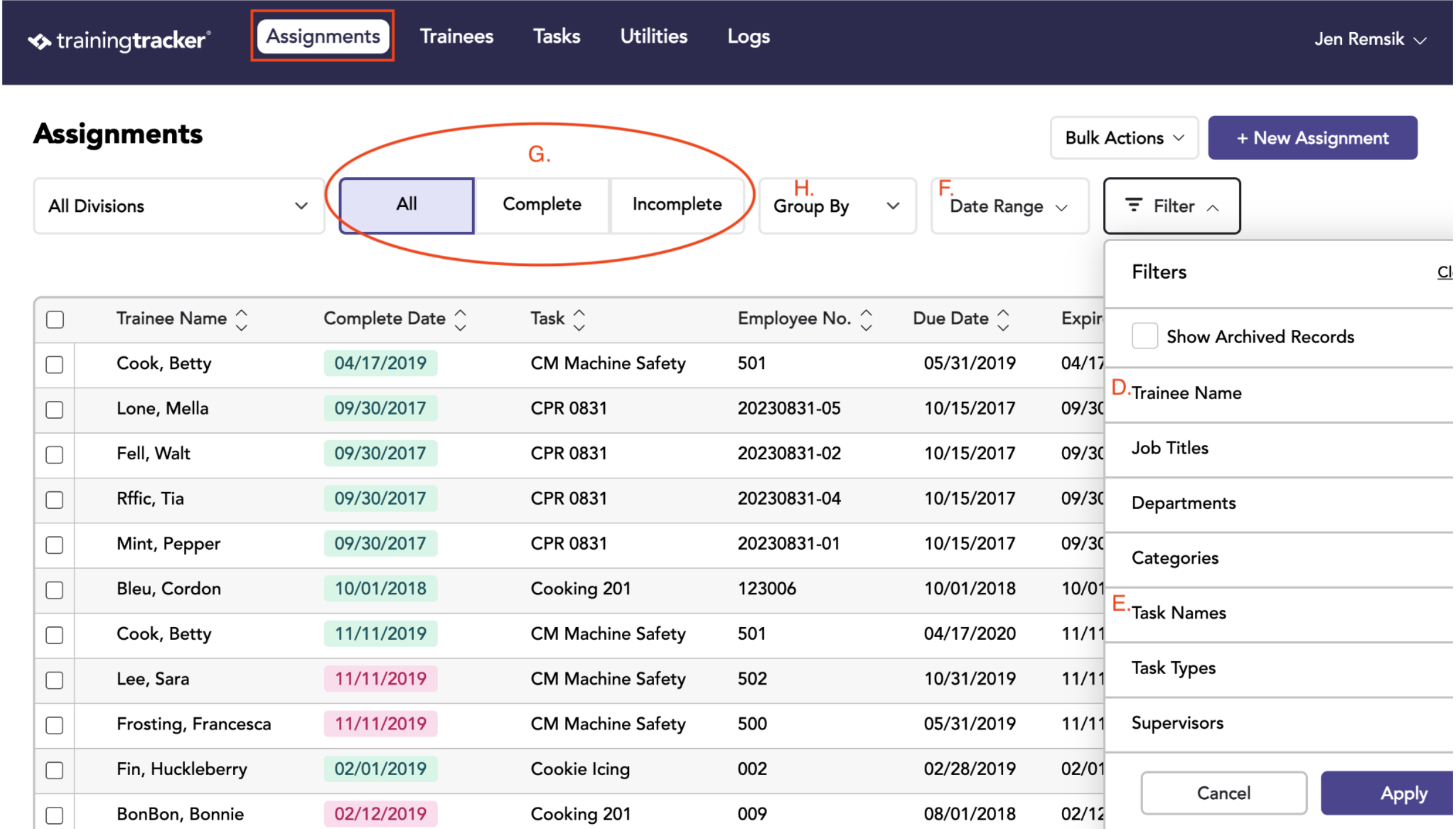
D. Select Trainee - Filters the view to show only Assignments for that Trainee
E. Select Task Name - Filters view to show all employees assigned a specific task
F. Date Range Options - limit view to a specific date range based on desired criteria
G. Assignment Options - Filters view to show all, completed, or incomplete assignments
H. Group by - Arrange results in different configurations, including by Tasks, Trainee, or Department
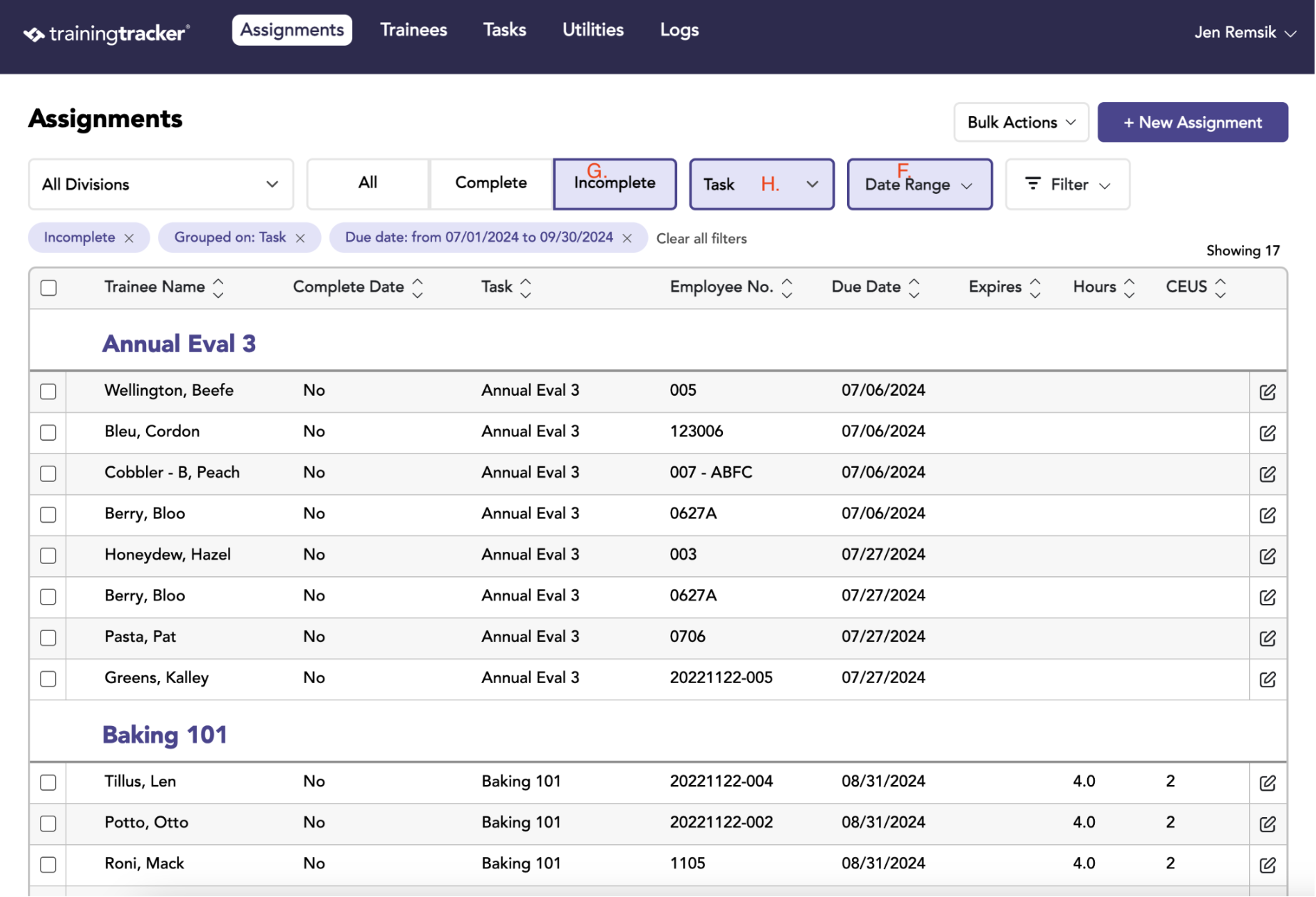
Common report: Coming due in the Next Quarter
Step-by-step:
- Change “All Dates” to “Due Date” & enter the desired date range = F
- Change “All Assignments” to “Incomplete Assignments” = G
- Group by “Trainee” or “Task” for easy viewing = H
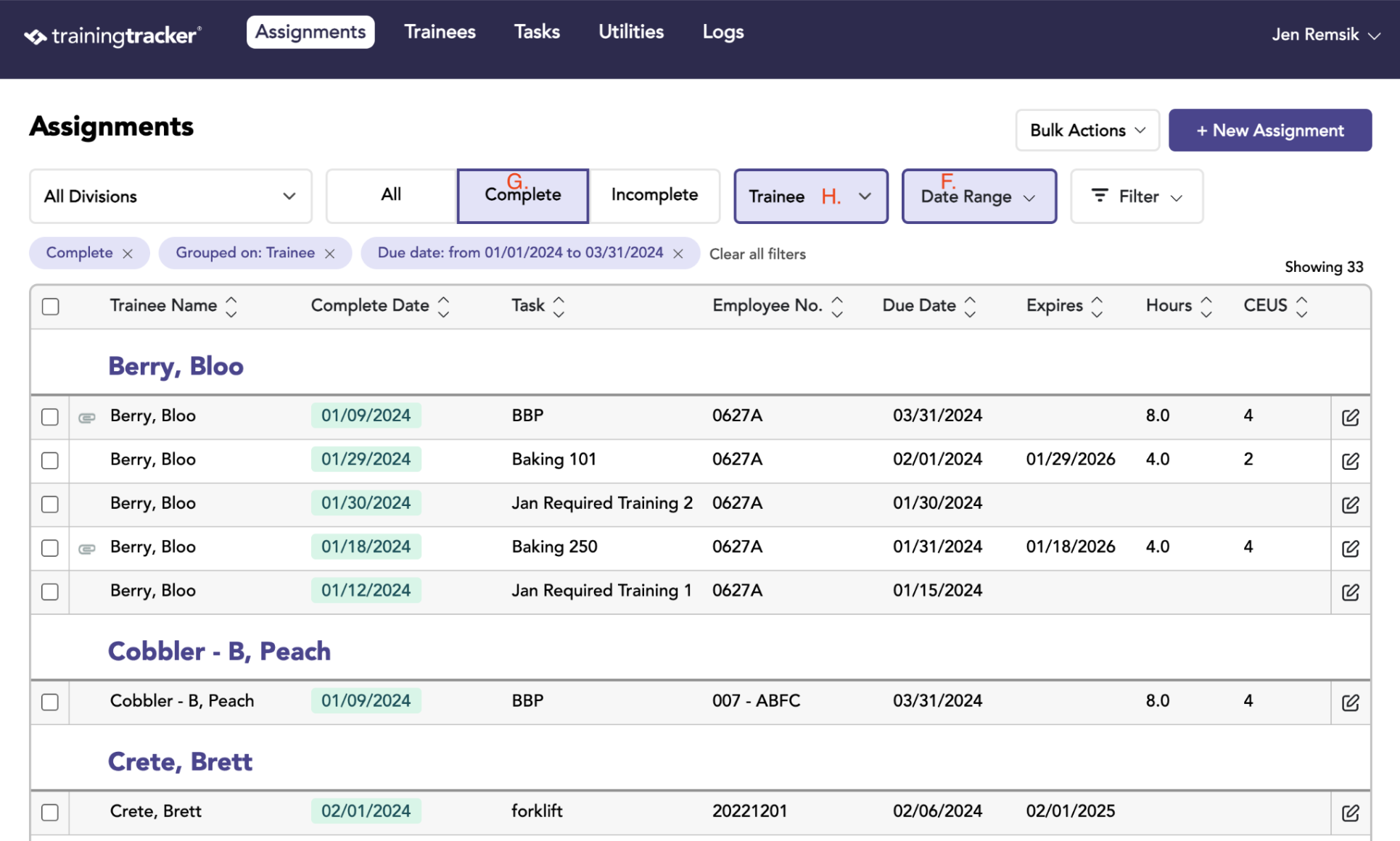
Common report: Done in the Last Quarter
Step-by-step:
- Change “All Dates” to “Complete Date” & enter the desired date range = F
- Change “All Assignments” to “Completed Assignments” = G
- Group by “Trainee” or by “Task” for easy viewing = H
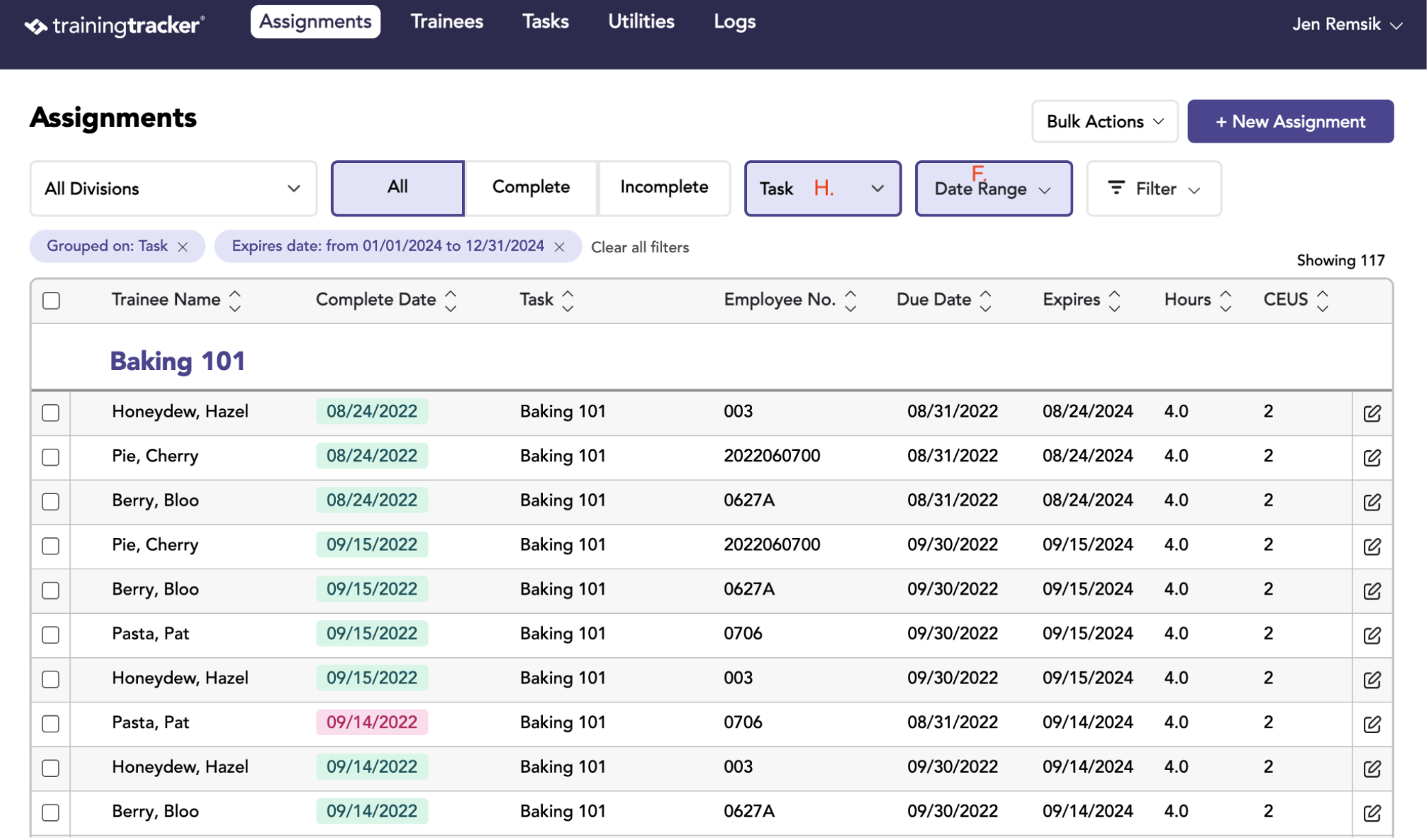
Common report: What’s Expiring in the Next Year
Step-by-step:
- Change “All Dates” to “Expire Date” & enter the desired date range = F
- Group by “Trainee” or by “Task” for easy viewing = H
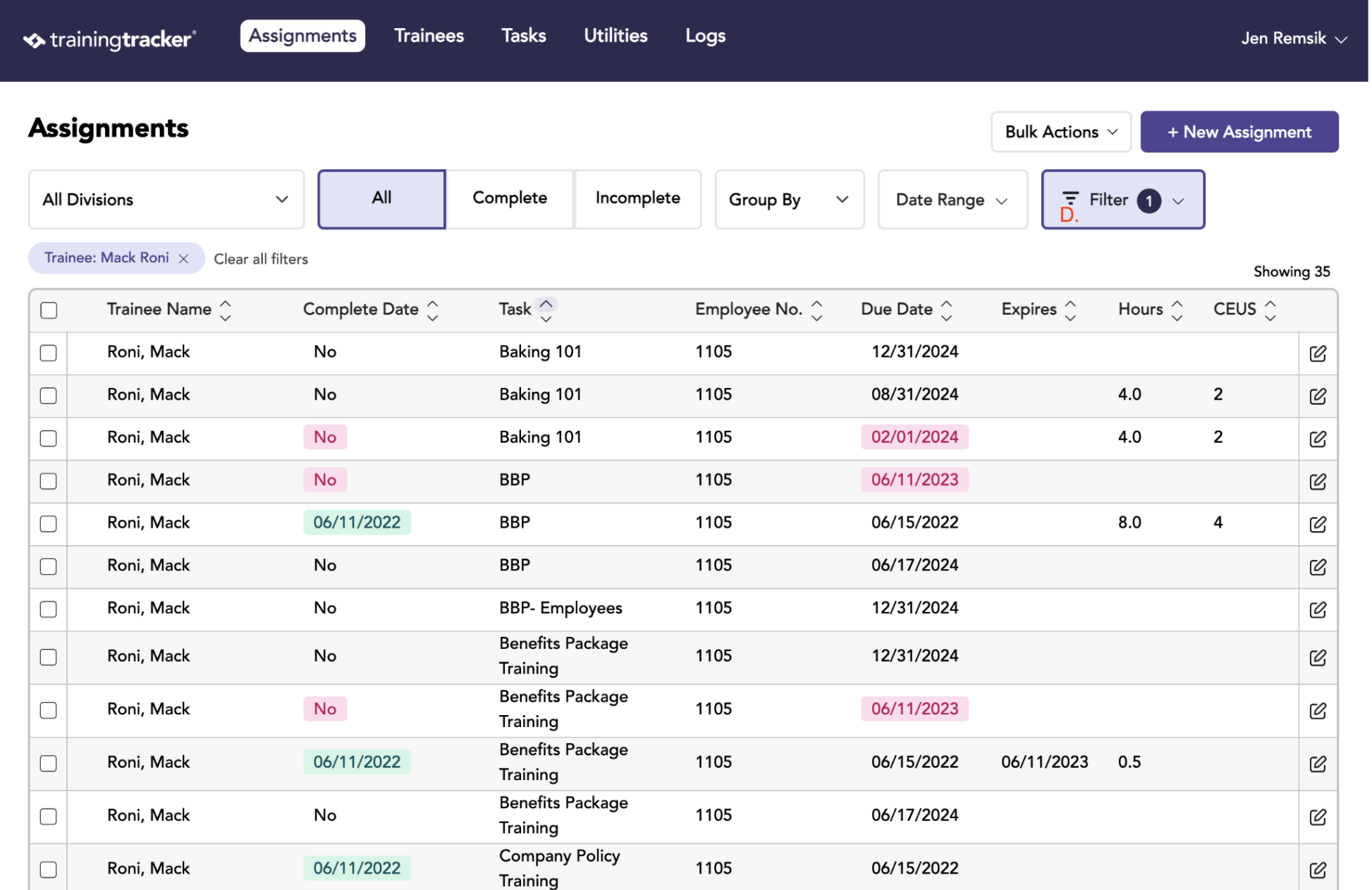
Common report: Searching for a Particular Trainee
You can generate any of the noted above reports for a particular Trainee by selecting a “Trainee” = D
Common report: Searching for a Particular Task
You can generate any of the noted above reports for a particular Task by selecting a “Task Name” = E